
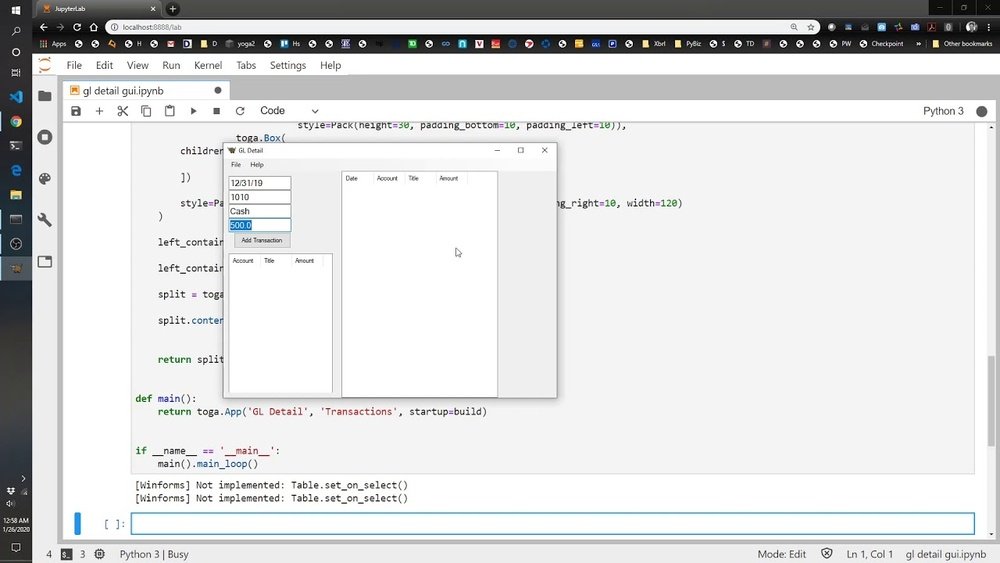
Are you ready to build your own accounting software using Python? Imagine having a tool tailored exactly to your needs—simple, efficient, and made by you.
Creating accounting software might sound complicated, but with the right steps, you can make it happen. You’ll discover how to break down the process into easy, manageable parts. By the end, you’ll have the confidence and know-how to develop software that keeps your finances organized and under control.
Let’s dive in and turn your idea into reality!
Planning Your Accounting Software
Planning your accounting software is the first step to building a useful and reliable tool. This phase helps you set clear goals and understand what the software must do. Careful planning saves time and avoids mistakes during development. It also ensures the software meets user needs and handles accounting tasks well.
Key Features To Include
Decide what functions your software must have. Basic features include tracking income and expenses, creating invoices, and managing accounts. You might add reports like profit and loss statements or balance sheets. Make sure to include data backup and security features. These features help users keep their financial information safe and organized.
Choosing The Right Tools
Select tools that fit your project needs. Python is a great choice because it is easy to learn and has many libraries. Use libraries like Pandas for data handling and Tkinter for building the interface. Choose a database system like SQLite for storing data. Pick tools that work well together and match your skill level.
Designing The User Interface
Create a simple and clear user interface. Users should find it easy to enter data and view reports. Use buttons, forms, and menus that make navigation smooth. Keep the design clean with readable fonts and enough space. A good interface improves user experience and reduces errors.
Setting Up The Development Environment
Setting up the development environment is the first step in creating accounting software in Python. A proper setup saves time and avoids errors later. It includes installing Python, choosing the right code editor, and organizing your project files. Each part ensures smooth coding and testing processes.
Installing Python And Libraries
Download Python from the official website. Choose the latest stable version for better features. Install it by following the on-screen instructions. After installation, check Python by running python --version in the terminal. Next, install essential libraries like pandas for data handling and sqlite3 for database management. Use pip install pandas to add these packages.
Setting Up A Code Editor
Select a code editor that supports Python well. Visual Studio Code and PyCharm are popular choices. Install your preferred editor and add Python extensions for syntax highlighting and debugging. Configure the editor to use your Python interpreter. This setup helps write error-free code faster.
Creating A Project Structure
Organize your files before coding. Create folders like src for source code, tests for test scripts, and data for storing financial records. Use clear and simple names for files and folders. A neat structure helps find and update code easily.
Building The Core Accounting Modules
Building the core modules is essential in creating accounting software in Python. These modules form the backbone of your application. They manage financial data and ensure accurate record-keeping. Focus on designing clear and simple modules. This approach helps maintain the software and add features later.
Managing Chart Of Accounts
The chart of accounts lists all financial accounts in the system. Each account has a name, type, and balance. Use Python classes to create and manage these accounts. Allow users to add, edit, or delete accounts easily. Organize accounts into categories like assets, liabilities, income, and expenses. This structure helps track financial health clearly.
Recording Transactions
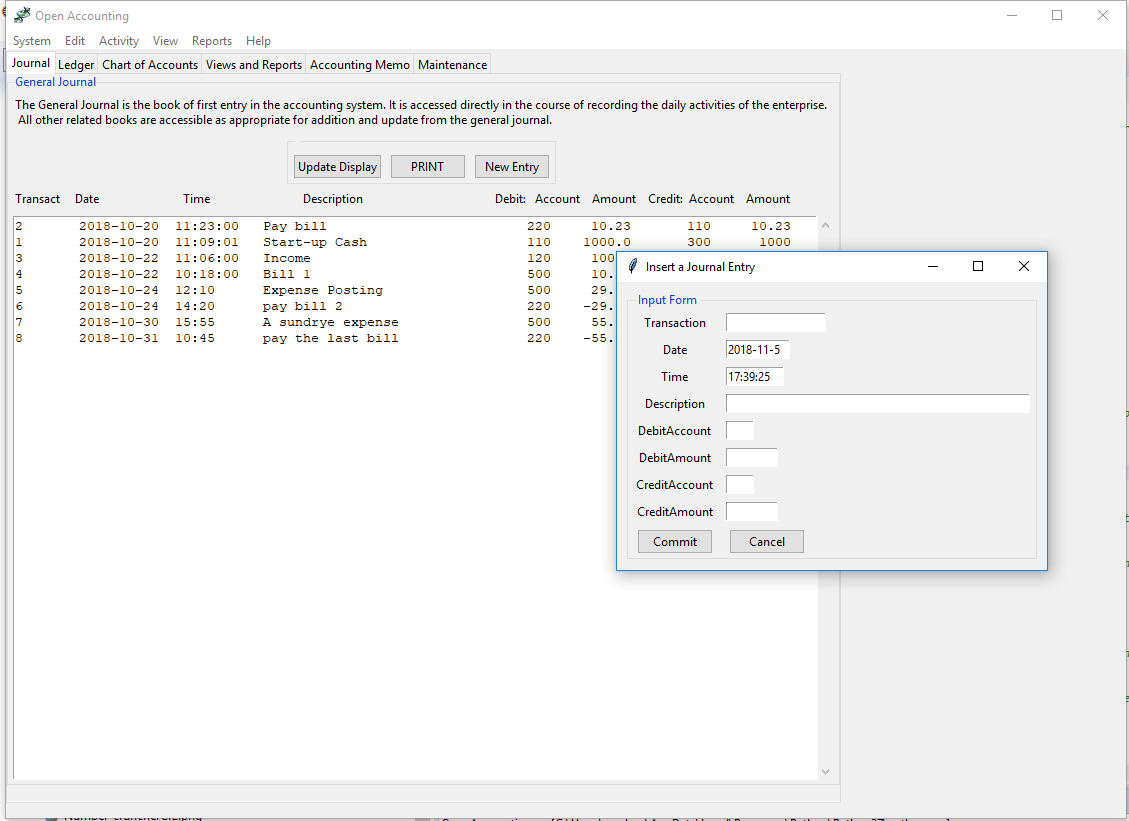
Transactions are the heart of accounting software. They record every financial event. Create functions to add, update, and delete transactions. Each transaction should link to accounts in the chart of accounts. Include fields for date, amount, description, and type. Validation is vital to prevent errors. Ensure transactions balance by debits and credits.
Handling Invoices And Payments
Invoices and payments track money owed and received. Design invoice templates that users can customize. Store invoice details like customer name, items, amounts, and due dates. Create payment records linked to invoices for easy tracking. Automate status updates for paid, unpaid, or overdue invoices. This module improves cash flow management.

Credit: thepythoncode.com
Implementing Data Storage
Implementing data storage is a key step in creating accounting software with Python. Storing data securely and efficiently ensures smooth operations. This section covers how to choose a database, design a schema, and connect Python to the database.
Choosing A Database
Select a database based on your project needs. SQLite is good for small apps. It is simple and requires no server setup. For larger projects, consider MySQL or PostgreSQL. These handle more data and multiple users. Think about ease of use, speed, and security. Pick what fits your software size and future growth.
Designing Database Schema
The schema defines how data is organized. Plan tables for users, transactions, and accounts. Each table should have clear columns with types like text, number, and date. Use primary keys to identify records uniquely. Add relationships between tables to keep data linked. A clean schema helps avoid errors and speeds up queries.
Connecting Python With The Database
Python needs to communicate with the database to save and read data. Use libraries like sqlite3 for SQLite or psycopg2 for PostgreSQL. These libraries allow Python to send commands to the database. Establish a connection by providing database details. Then, write code to insert, update, or fetch records. Proper connection management ensures data integrity and app stability.
Adding User Authentication
Adding user authentication is a key part of building accounting software. It protects sensitive financial data from unauthorized access. Users must register, log in, and have the right permissions to use the software. This section explains how to add these features using Python.
Creating User Registration
Start by creating a registration form. Ask users for a username and password. Store passwords securely using hashing methods like bcrypt. Never save plain text passwords. Save user details in a database for future login.
Implementing Login And Logout
Build a login system to verify user credentials. Compare entered passwords with stored hashes. Allow access only when credentials match. Add a logout feature to end user sessions safely. This keeps user data secure and private.
Managing User Roles And Permissions
Assign roles like admin or regular user to control access levels. Define what each role can see or edit. Restrict sensitive actions to admins only. This setup ensures users only do what they are allowed to do.
Generating Financial Reports
Generating financial reports is a key part of accounting software. These reports help users understand the company’s financial health. They show income, expenses, assets, and cash flow clearly.
Python makes it easy to create these reports. You can use libraries like Pandas for data handling and Matplotlib for charts. Below are the main reports every accounting software should produce.
Profit And Loss Statement
The profit and loss statement shows income and expenses over time. It tells if the company made a profit or loss. To create this report, sum all revenues and subtract total expenses.
Python code can group transactions by category and date. Then, calculate totals and display them in a table. This report helps business owners see where money is coming from and going.
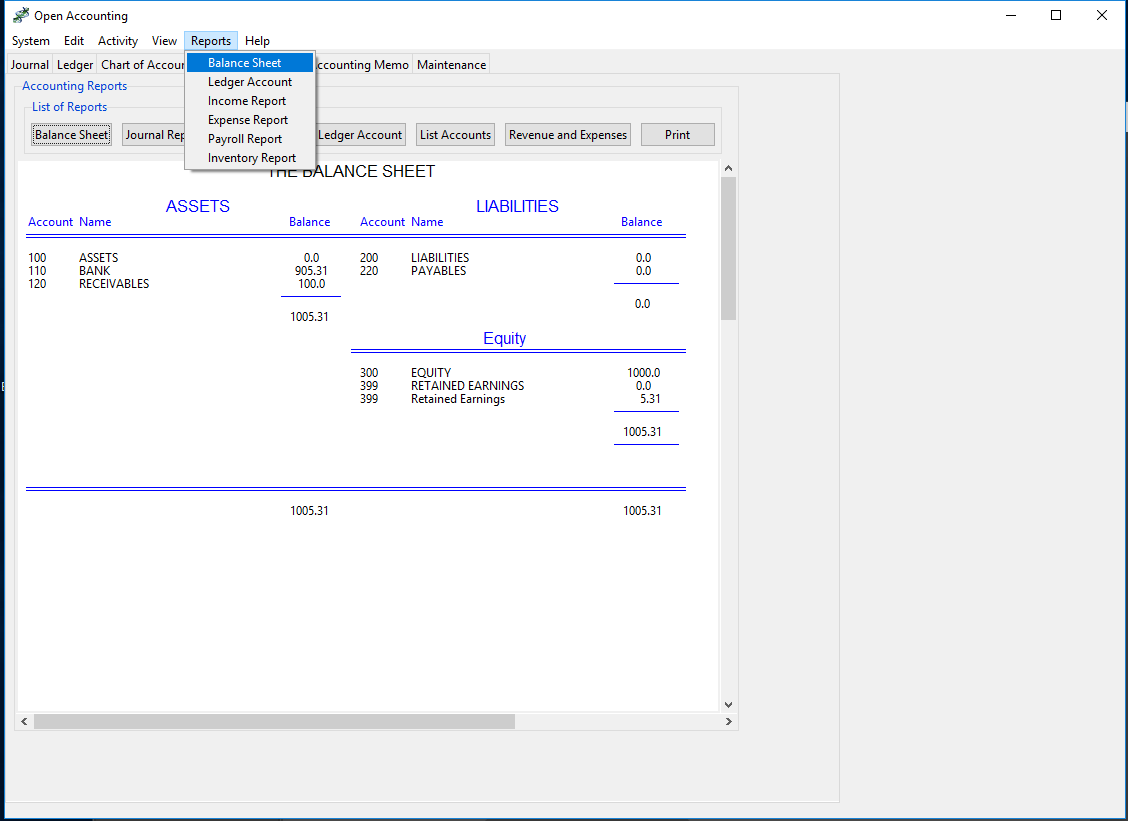
Balance Sheet
The balance sheet lists assets, liabilities, and equity at a specific date. It shows the company’s financial position. To build this, gather data on cash, inventory, debts, and owner’s equity.
Use Python to organize these values into assets and liabilities sections. Then calculate equity as assets minus liabilities. This report gives a snapshot of the company’s worth.
Cash Flow Statement
The cash flow statement tracks cash moving in and out of the business. It focuses on operating, investing, and financing activities. Python can categorize cash transactions by type and date.
Create a report that sums cash inflows and outflows. This helps users see if the company has enough cash to run daily operations.
Testing And Debugging
Testing and debugging are key steps in creating accounting software with Python. They help find and fix problems early. This makes the software reliable and accurate. Good testing ensures the software handles data correctly.
Debugging helps track down errors and bugs in the code. It improves the program’s stability. This section covers writing unit tests, handling common errors, and optimizing performance. These practices build strong accounting software.
Writing Unit Tests
Unit tests check small parts of your code separately. They ensure each function works as expected. Use Python’s unittest module for writing tests easily. Test calculations like totals, taxes, and balances.
Run tests often during development. This catches mistakes fast. Write tests for different input values, including edge cases. Automate tests to save time and avoid errors.
Handling Common Errors
Accounting software deals with many types of data errors. Handle errors like invalid input, division by zero, and file issues carefully. Use try-except blocks to catch errors without crashing the program.
Show clear error messages to users. This helps them fix problems quickly. Validate data before processing it. This prevents wrong entries and calculation errors.
Optimizing Performance
Good performance keeps the software fast and smooth. Use efficient data structures like lists and dictionaries. Avoid repeating calculations unnecessarily. Cache results when possible.
Limit file reads and writes to improve speed. Profile your code to find slow parts. Optimize or rewrite those parts for better performance. Fast software improves user experience and trust.
Credit: medmatix.github.io
Deploying Your Software
Deploying your accounting software marks the final step in your development journey. This stage ensures your software works well outside your computer. Proper deployment helps users access and use your program smoothly. It also prepares your application for future growth and updates.
Packaging The Application
Packaging bundles your software into a ready-to-use format. Tools like PyInstaller or cx_Freeze create executable files. These files run without requiring Python installation. Include all necessary libraries and files in the package. Test the package on different machines to avoid errors.
Choosing A Hosting Platform
Pick a hosting platform based on your software needs. Cloud services like AWS, Heroku, or DigitalOcean offer flexible options. Shared hosting works for smaller projects with light traffic. Consider security, cost, and ease of use. A good host keeps your data safe and accessible.
Maintaining And Updating
Regular maintenance keeps your software reliable and secure. Fix bugs and improve features based on user feedback. Use version control systems like Git for smooth updates. Notify users about new versions and changes. Continuous updates extend your software’s life and usefulness.
Credit: medmatix.github.io
Frequently Asked Questions
What Are The Key Features Of Accounting Software In Python?
Key features include ledger management, invoicing, expense tracking, and financial reporting. Python libraries like Pandas and SQLite help manage data efficiently. A user-friendly interface improves usability, while automation simplifies repetitive tasks for better accuracy and productivity.
Which Python Libraries Are Best For Accounting Software?
Pandas, NumPy, and SQLite are essential for data handling and storage. Matplotlib helps create financial charts. Flask or Django frameworks enable web-based interfaces. These libraries streamline development and provide robust tools for accounting software functionality.
How Do I Ensure Data Security In Python Accounting Software?
Implement encryption for sensitive data using libraries like cryptography. Use secure authentication methods and regularly update dependencies. Backup data frequently and follow best coding practices to protect financial information from unauthorized access and breaches.
Can Python Handle Real-time Accounting Transactions Efficiently?
Yes, Python can handle real-time transactions using asynchronous programming and database optimization. Tools like Celery enable task queues for background processing. Proper design ensures fast and reliable transaction handling suitable for accounting software needs.
Conclusion
Creating accounting software in Python is a useful skill to learn. It helps manage finances clearly and safely. Start with simple steps: design, code, and test. Focus on accuracy and easy use. Python makes the process smooth and flexible. Keep improving your software by adding new features.
Practice often to gain confidence and skill. This project can save time and reduce errors in accounting. Try building your own software to see how it works. Small efforts lead to big results.
