
Core functions include bookkeeping, payables, receivables, cash, planning, reporting, and compliance.
If you have ever asked what are the key functions of financial management software, you are in the right place. In this guide, I explain the full scope, share real examples, and give you simple steps to put these functions to work. I have helped finance teams move from manual spreadsheets to modern platforms. I know the wins, the risks, and the shortcuts. Let’s break down what are the key functions of financial management software in a clear, practical way.
What are the key functions of financial management software? A clear map
At its core, financial management software runs your money engine. It records every transaction, keeps your books in order, and turns data into insight. It supports controls, compliance, and management decisions. It links your bank, your sales tools, and your payroll.
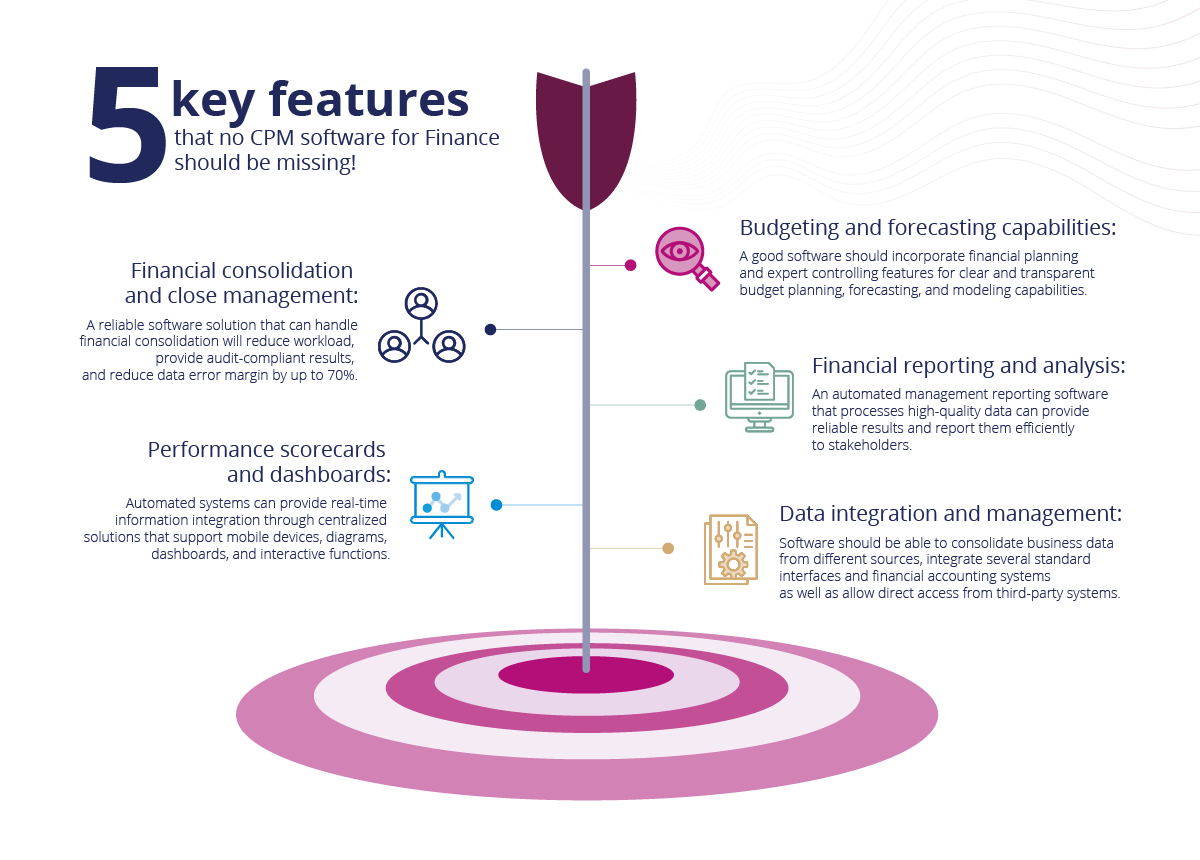
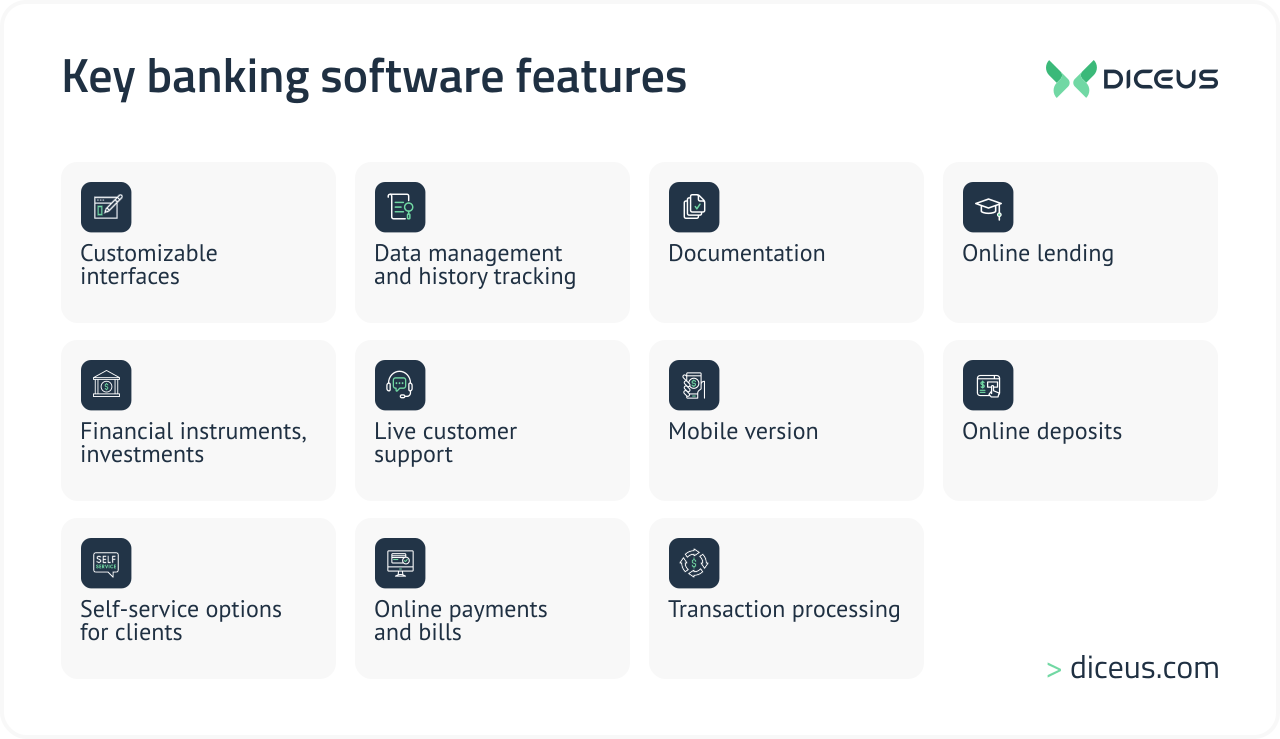
Here is the short map of what are the key functions of financial management software:
- Accounting and the general ledger
- Accounts payable and vendor payments
- Accounts receivable, billing, and collections
- Cash and liquidity management
- Budgeting, forecasting, and planning
- Expense management
- Fixed assets and depreciation
- Reporting, analytics, and dashboards
- Compliance, audit trails, and controls
- Integrations, automation, and consolidation
When leaders ask what are the key functions of financial management software, I point them to three big goals: accuracy, speed, and control. Everything flows from there.

Core accounting and transaction processing
This is where the daily work happens. The system captures and classifies money moves. It locks in data quality and keeps your books clean.
General ledger and chart of accounts
The general ledger is the single source of truth. It stores all entries by account, period, and entity. A solid chart of accounts makes reports clear and comparable across teams.
Practical tip: Keep the chart simple. Use dimensions like department or project to add detail without adding clutter.
Accounts payable automation
AP handles vendor bills, approvals, and payments. Good systems scan invoices, auto-match to POs, and route for sign-off. They sync with bank payments and record taxes and discounts.
Mistake to avoid: Approving by email without audit trails. Use in-app approvals with roles.
Accounts receivable and billing
AR tracks invoices, credit terms, and collections. Many tools create invoices from orders, send reminders, and apply cash from bank feeds. You see aging by customer and risk by segment.
I once helped a team cut DSO by 12 days by using auto reminders and a clear dispute flow.
Expense management and reimbursements
Staff submit receipts through mobile apps. The system checks policy rules, flags out-of-policy spend, and posts entries to the ledger. Corporate cards sync to speed up month-end.
Fixed assets and depreciation
Track assets, locations, and useful life. Run straight-line or declining balance. Post monthly depreciation and manage disposals with gains or losses.
What are the key functions of financial management software? Accurate asset tracking is one many teams overlook until audits arrive.
Cash, liquidity, and treasury
Cash is survival. Strong tools give a live view of balances and flows.
Bank feeds, reconciliation, and cash position
Bank feeds pull in transactions each day. The system auto-matches items and flags gaps. You get a clear cash position by account, currency, and entity.
Payments, approvals, and fraud controls
Build payment runs with clear approval tiers. Use positive pay, dual approvals, and vendor change controls. This reduces fraud risk and payment errors.
From my experience, dual control for vendor changes stops most fraud attempts cold.
Multi-currency and FX
If you sell or buy abroad, you need FX rates, revaluations, and translation. Good software handles realized and unrealized gains and supports hedge accounting rules.
Teams often ask what are the key functions of financial management software when going global. Multi-currency support is a must-have on that list.
Planning, budgeting, and forecasting
This is where finance partners with the business. Plans guide targets. Forecasts show where the puck is going.
Driver-based budgets
Tie budgets to real drivers like units, headcount, or conversion rates. This keeps plans lean and linked to action.
Rolling forecasts and scenarios
Update the forecast each month or quarter. Run what-if cases for price, volume, or costs. Test best case, base case, and worst case.
I learned to start with three drivers, not thirty. Keep it simple, then add detail as your team grows.
Variance analysis and performance tracking
Compare actuals to budget and forecast. Track mix, price, and volume. Share results with owners in plain language.
What are the key functions of financial management software if you want better decisions? Planning tools and clear variance views rank at the top.

Reporting, analytics, and compliance
Reports turn numbers into action. Controls keep trust high.
Financial statements and dashboards
Create balance sheets, income statements, and cash flow. Use role-based dashboards for CEOs, sales leads, and plant managers. Add drill-down so users can see the story behind a number.
Quick PAA-style answers:
- What is the difference between accounting and reporting? Accounting records and classifies data. Reporting shares insights in formats people can use.
- How often should we close the books? Many teams aim for five business days or less. Faster closes need better automation and fewer manual steps.
Audit trails, controls, and compliance frameworks
Good tools log every change. They support segregation of duties and approval chains. They can align with standards like SOX and give clean evidence for audits.
Tax and regulatory reporting
Generate sales tax, VAT, and payroll tax reports. Manage e-invoicing in regions that need it. Keep rules and rates up to date.
When boards ask what are the key functions of financial management software, audit-ready trails and strong controls are always on the slide.
Integrations, automation, and scalability
Finance does not live alone. Your software should connect across the stack.
API and ecosystem
Link your CRM, e-commerce, payroll, and banks. Use APIs to push and pull data on a schedule. This cuts manual uploads and errors.
Workflow automation
Automate invoice coding, payment runs, reconciliations, and report delivery. Use rules to route tasks and close gaps.
I have seen month-end time drop by 30 to 50 percent after basic automation. A small win, like auto bank matches, can free hours each week.
Multi-entity consolidation and close
Roll up many entities and currencies. Map charts and intercompany rules. Produce eliminations and consolidated statements fast.
If your CFO keeps asking what are the key functions of financial management software for growth, point to integrations and consolidation.

Benefits, ROI, and real-world wins
Why invest now? Because the gains stack up.
- Better accuracy. Fewer manual entries mean fewer errors.
- Faster closes. Autos and templates cut cycle time.
- Stronger control. Clear approvals and logs reduce risk.
- Sharper insight. Real-time dashboards guide action.
- Scalable growth. Add entities, products, or regions with less pain.
A simple ROI view:
- Time saved per month by automation times blended hourly rate
- Cash gains from lower DSO and better discounts
- Risk reduction from fewer errors and fraud cases
A mid-market client saved 200 hours a month by auto-matching bank lines and AP invoices. They used that time for pricing analysis that lifted margin by one point.
When leaders compare tools, they often ask what are the key functions of financial management software that pay off fastest. The answer is AP automation, bank matching, and rolling forecasts.
Risks, limitations, and how to mitigate
No tool is perfect. Plan for the rough edges.
- Data migration pain. Clean data first. Test imports with samples.
- User adoption dips. Train early. Use short videos and cheat sheets.
- Hidden costs. Ask about implementation, support, and add-ons.
- Vendor lock-in. Review export options and contract terms.
- Performance at scale. Test with year-end volumes and big reports.
A 2023 industry survey found most failures came from poor change management. The software worked. The habits did not. What are the key functions of financial management software without adoption? They sit on the shelf.
How to choose the right financial management software
Use a clear, fair process. Keep the focus on needs, not hype.
- Define outcomes. Faster close, lower DSO, better cash view.
- List must-haves. Multi-entity, API, audit trails, role-based access.
- Map processes. From quote to cash, from procure to pay.
- Score vendors. Use weighted criteria and demos with your data.
- Check references. Ask about support, updates, and real response times.
- Pilot, then decide. Prove value with a small scope and a short timeline.
Two common PAA questions:
- Do small businesses need all features? No. Start with core accounting, AP, AR, and simple reports. Add planning later.
- Cloud or on-premises? Most new buys go cloud for speed and lower upkeep. On-prem fits rare cases with strict data rules.
Do not forget this test: ask vendors to show what are the key functions of financial management software using your own sample invoices, bank lines, and reports. Real data reveals real fit.
Implementation roadmap and best practices
A good rollout is simple, steady, and shared.
- Discovery. Confirm scope, roles, and milestones. Set success metrics.
- Data. Clean the chart, vendors, customers, and opening balances.
- Configuration. Build approvals, taxes, and dimensions.
- Integrations. Connect CRM, payroll, and banks. Test edge cases.
- UAT. Let real users test real flows. Fix and retest.
- Training. Short sessions, role-based guides, and office hours.
- Go live. Pick a quiet week. Have a rollback plan.
- Post go-live. Track issues, celebrate wins, and lock in new habits.
Lessons learned from my projects:
- Freeze scope for phase one. Deliver quick wins first.
- Set up a close calendar. Assign owners to each task.
- Make it easy to ask for help. Use a shared channel and a clear SLA.
What are the key functions of financial management software during rollout? Clear workflows, solid data, and patient training. Get those right, and the rest follows.
Frequently Asked Questions of what are the key functions of financial management software
What is financial management software?
It is a system that records, manages, and reports your financial data. It connects daily work like billing and payables with planning and reporting.
How is it different from basic accounting tools?
Basic tools cover invoices and ledgers. Financial management software adds planning, controls, integrations, and consolidation.
Can it help with audits?
Yes. It keeps audit trails, enforces approvals, and produces evidence fast. Auditors can trace entries back to source documents.
Does it support multiple currencies and entities?
Modern platforms do. They handle FX rates, revaluation, and group consolidation. Always test your exact cases.
How long does implementation take?
Small teams can start in weeks. Larger, multi-entity groups may need a few months, especially with integrations.
Conclusion
The path to strong finance is clear when you know what are the key functions of financial management software. Use it to tighten controls, speed the close, and shine a light on cash and performance. Start with core accounting and bank matching. Then add planning, dashboards, and automations that fit your goals.
Take one step this week. List your top three pain points and map them to the functions in this guide. If this helped, subscribe for more practical finance playbooks or share a comment with your top challenge.
