
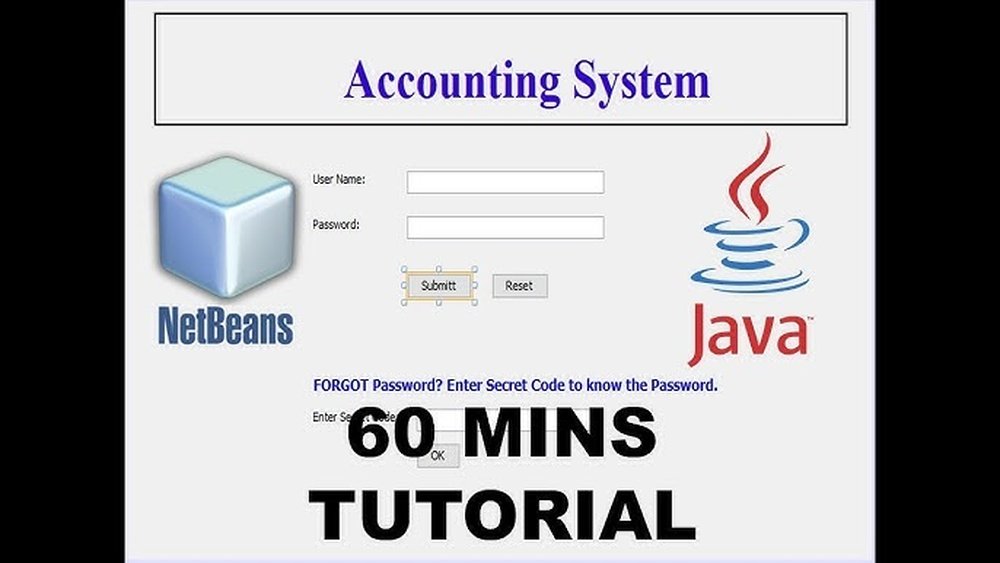
Are you ready to create your very own accounting software using Java? Whether you want to simplify your business finances or build a powerful tool for others, this guide will walk you through every step.
You don’t need to be an expert coder—just a clear plan and some basic Java skills. By the end, you’ll have a solid understanding of how to design, develop, and test software that keeps your accounts organized and accurate. Let’s dive in and turn your idea into a real, working program.
Setting Up The Development Environment
Setting up the development environment is the first step to create accounting software in Java. A good environment helps you write code faster and with fewer errors. It includes choosing the right tools and organizing your project properly. This section explains how to prepare your workspace for smooth development.
Choosing The Right Ide
An IDE is a software that helps you write and test code. Popular IDEs for Java are IntelliJ IDEA, Eclipse, and NetBeans. They offer features like code completion and error checking. Pick an IDE that feels easy to use and fits your needs. A simple IDE can be better for beginners.
Installing Java Development Kit
The Java Development Kit (JDK) contains tools to compile and run Java programs. Download the latest JDK version from the official Oracle website or OpenJDK. Install it on your computer and set the system path. This setup lets your IDE find Java tools and run your code.
Configuring Project Structure
Organize your files into folders like src for source code and lib for libraries. Use packages to group related classes. Follow a clear naming system for files and folders. This structure makes your project easier to manage and share. It also helps avoid errors during build and deployment.
Planning Core Features
Planning the core features is the first step in building accounting software in Java. This step sets the foundation for the app. Clear planning helps avoid errors and saves time. Focus on what users really need. Prioritize simple and useful functions. Think about security and data handling from the start.
Understanding core features guides your coding process. It makes sure your software is practical and user-friendly. A well-planned app meets users’ needs and performs well.
Essential Accounting Functions
Start with basic accounting tasks. Include functions like income and expense tracking. Add features for invoicing and bill payments. Support generating financial reports such as balance sheets. Make sure calculations are accurate. Allow users to view transaction history easily. These functions form the heart of your software.
User Roles And Permissions
Define different user roles clearly. Typical roles are admin, accountant, and viewer. Each role should have specific access rights. Admins manage settings and users. Accountants handle daily transactions. Viewers can only see reports. Proper permissions protect sensitive information. This helps maintain data security and control.
Database Requirements
Choose a reliable database for storing data. Use databases like MySQL or PostgreSQL. Design tables for users, transactions, and reports. Ensure data is easy to retrieve and update. Implement backup and recovery plans. Keep data secure with encryption. A good database supports smooth and fast software operation.
Designing The Database Schema
Designing the database schema is a key step in building accounting software in Java. It organizes how data will be stored and accessed. A clear schema helps keep data accurate and easy to manage. It also improves the software’s performance and reliability.
Good database design supports smooth transactions and proper account management. It ensures the software can handle all financial data logically. This section covers the main tables, relationships, and the choice between SQL and NoSQL databases.
Tables For Transactions And Accounts
The database needs tables to store transactions and account details. The Accounts table holds information like account ID, name, type, and balance. Each account represents a financial entity such as cash, bank, or expenses.
The Transactions table records every financial activity. It includes transaction ID, date, amount, description, and related account IDs. This table tracks money flow between accounts in the system.
Both tables must have clear fields to keep data organized and easy to retrieve. Proper indexing on keys improves search speed.
Relationships And Constraints
Setting relationships between tables is crucial. Each transaction links to one or more accounts. Use foreign keys in the Transactions table to reference Accounts. This maintains data consistency across tables.
Constraints enforce rules. For example, transactions must have a valid account ID. Constraints prevent errors like entering invalid data or deleting important records by mistake. They keep the database reliable and trustworthy.
Using Sql Vs Nosql
Choose SQL databases for strong structure and complex queries. SQL fits well for accounting, where data relations and transactions matter. Common SQL options include MySQL and PostgreSQL.
NoSQL databases offer flexibility for unstructured data. They are less strict with schema changes and scale easily. However, they may not support complex financial queries well.
SQL is usually the best choice for accounting software due to its consistency and support for transactions.
Building The User Interface
Building the user interface is a key step in creating accounting software in Java. The interface allows users to interact with the software easily. A clean and simple design helps users enter data and view reports without confusion. The user interface must be intuitive and responsive to improve user experience.
Choosing the right tools and designing effective layouts are essential. The interface should support all necessary functions, such as entering transactions, generating invoices, and viewing financial summaries. Planning the structure carefully saves time during development and testing.
Choosing Between Swing And Javafx
Swing and JavaFX are popular Java libraries for building user interfaces. Swing is older and widely used. It has many components and works well for desktop applications. JavaFX is newer and offers modern features like animations and better graphics.
JavaFX supports CSS styling and FXML for layouts. Swing is more stable and has a large community. Choose Swing for simplicity and compatibility. Choose JavaFX for a modern look and smoother designs. Both can create effective accounting software interfaces.
Designing Forms And Dashboards
Forms collect user data such as expenses, income, and customer details. Use clear labels and input fields. Avoid clutter and keep forms simple. Dashboards show summaries like balances, charts, and alerts. Use graphs and tables for easy reading.
Group related information logically. For example, group all transaction fields in one form section. Use colors to highlight important data. Design forms and dashboards to reduce user errors and speed up data entry.
Implementing Navigation And Menus
Navigation guides users through the software features. Use menus or sidebars for easy access to sections like reports, settings, and transactions. Make menus simple and organized. Use icons and text for clarity.
Provide quick links to common tasks. Use consistent menu placement on all screens. Ensure users can move between sections without confusion. Good navigation improves the overall user experience and productivity.
Implementing Business Logic
Implementing business logic is the core of creating accounting software in Java. This step defines how the software processes financial data. It ensures that transactions, calculations, and validations work correctly. Strong business logic keeps data accurate and reliable.
Each part of the accounting process must follow clear rules. Java code handles these rules to maintain balance and record details properly. The software must manage transactions, calculate balances, and check user input carefully.
Handling Transactions And Ledger Entries
Transactions are the foundation of accounting software. Each transaction affects accounts and must be recorded precisely. Java classes can represent transactions with properties like date, amount, and type.
Ledger entries track each transaction’s impact on accounts. They must update the ledger in a way that keeps the books balanced. Writing methods to add, edit, or delete ledger entries is crucial.
Use Java’s object-oriented features to manage transactions. This approach keeps code organized and easy to maintain.
Calculating Balances And Reports
Calculating balances means summing debits and credits for each account. Java functions should handle these sums automatically. This process must update whenever new transactions are added.
Reports show financial summaries like income, expenses, and profits. Java can generate reports by pulling data from the ledger. Creating clear and simple reports helps users understand their finances.
Efficient balance calculation and reporting improve the software’s usefulness.
Validating User Input
User input can cause errors if not checked carefully. Java code should verify inputs like amounts, dates, and account numbers. Validation prevents incorrect data from entering the system.
Simple checks include ensuring numbers are positive and dates are valid. More complex rules may check for duplicate transactions or account limits.
Good validation protects data integrity and builds user trust.
Integrating Data Persistence
Integrating data persistence is essential for accounting software. It allows the program to save, retrieve, and manage financial records securely. Without data persistence, all information would be lost when the software closes. This section explains how to connect Java applications to databases, perform CRUD operations, and keep data safe.
Setting Up Jdbc Connections
JDBC is the standard way to connect Java applications to databases. First, add the JDBC driver for your database. Next, create a connection using the driver manager. Use the database URL, username, and password to establish the link. Always close connections to avoid leaks and errors.
Crud Operations For Records
CRUD means Create, Read, Update, and Delete. These operations allow managing accounting data effectively. Use SQL queries within Java code to insert new records. Retrieve records with SELECT queries and display them to users. Update records to reflect changes. Delete records carefully to avoid data loss.
Managing Data Security
Securing data is crucial in accounting software. Encrypt sensitive information like passwords and financial details. Use prepared statements to prevent SQL injection attacks. Limit database access with user roles and permissions. Regularly back up data to avoid loss. Keep security practices updated to protect user data.
Adding Reporting Features
Adding reporting features is essential for accounting software. Reports help users understand their financial data clearly. They provide insights into income, expenses, and overall financial health. Good reporting tools make the software useful for businesses and individuals alike.
These features must be easy to use and flexible. Users need to generate, export, and schedule reports. This section covers three important aspects of reporting in Java accounting software.
Generating Financial Statements
Financial statements summarize the financial activities of a business. Java programs can create balance sheets, income statements, and cash flow reports. Use libraries like JasperReports or Apache POI to design report templates. Fetch data from the database and fill the templates with real numbers. Display these statements inside the software or allow users to download them.
Exporting Reports To Pdf And Excel
Export options let users save reports in popular formats. PDF is good for sharing and printing. Excel allows further data analysis and editing. Java libraries such as iText for PDF and Apache POI for Excel work well. Convert the generated report data into these formats. Provide simple buttons for users to export reports easily.
Scheduling Automated Reports
Automated reports save time by running on a set schedule. Users can get daily, weekly, or monthly reports automatically. Use Java’s ScheduledExecutorService or Quartz Scheduler for timing tasks. Generate reports in the background and send them via email or save to a folder. This feature keeps users updated without manual work.

Credit: developer.intuit.com
Testing And Debugging
Testing and debugging are key steps in making reliable accounting software with Java. These steps help find and fix problems early. They ensure the software runs smoothly and meets user needs. Skipping testing can cause errors that lead to data loss or wrong calculations. Careful testing and debugging save time and effort in the long run.
Unit Testing Core Components
Unit testing checks small parts of the software separately. Test each function that handles calculations or data input. Use Java testing tools like JUnit to run these tests. Write tests for all important methods, such as adding transactions or calculating totals. Unit tests catch bugs before the software moves to the next stage.
Debugging Common Issues
Debugging finds and fixes errors in the code. Watch for common problems like incorrect data types or wrong logic. Use Java debuggers to pause the program and check variables. Check error messages and logs for clues. Fix errors one by one to keep the software stable.
User Acceptance Testing
User acceptance testing checks if the software meets real user needs. Let actual users try the software and give feedback. Test features like invoice creation and report generation. Fix issues users find to improve the experience. This step ensures the software works well in daily use.
Deploying The Software
Deploying accounting software built in Java is a key step to make it usable. It means moving from development to actual use. This step ensures the software works well on real machines. Proper deployment makes installation smooth and user-friendly.
Packaging The Application
Packaging bundles all parts of the software into one file. Use tools like Maven or Gradle to create a JAR or WAR file. This file includes code, libraries, and resources. Packaging protects your software from missing files. It also makes distribution easy and clean.
Installing On Target Systems
Installation puts the software on user computers or servers. Create a simple installer or provide clear setup instructions. Test installation on different systems to avoid errors. Ensure the software runs correctly after setup. This step helps users start using the software fast.
Providing User Documentation
User guides explain how to use the software effectively. Include step-by-step instructions and screenshots. Cover common tasks like entering data and generating reports. Make documentation easy to read and follow. Good guides reduce support questions and improve user satisfaction.
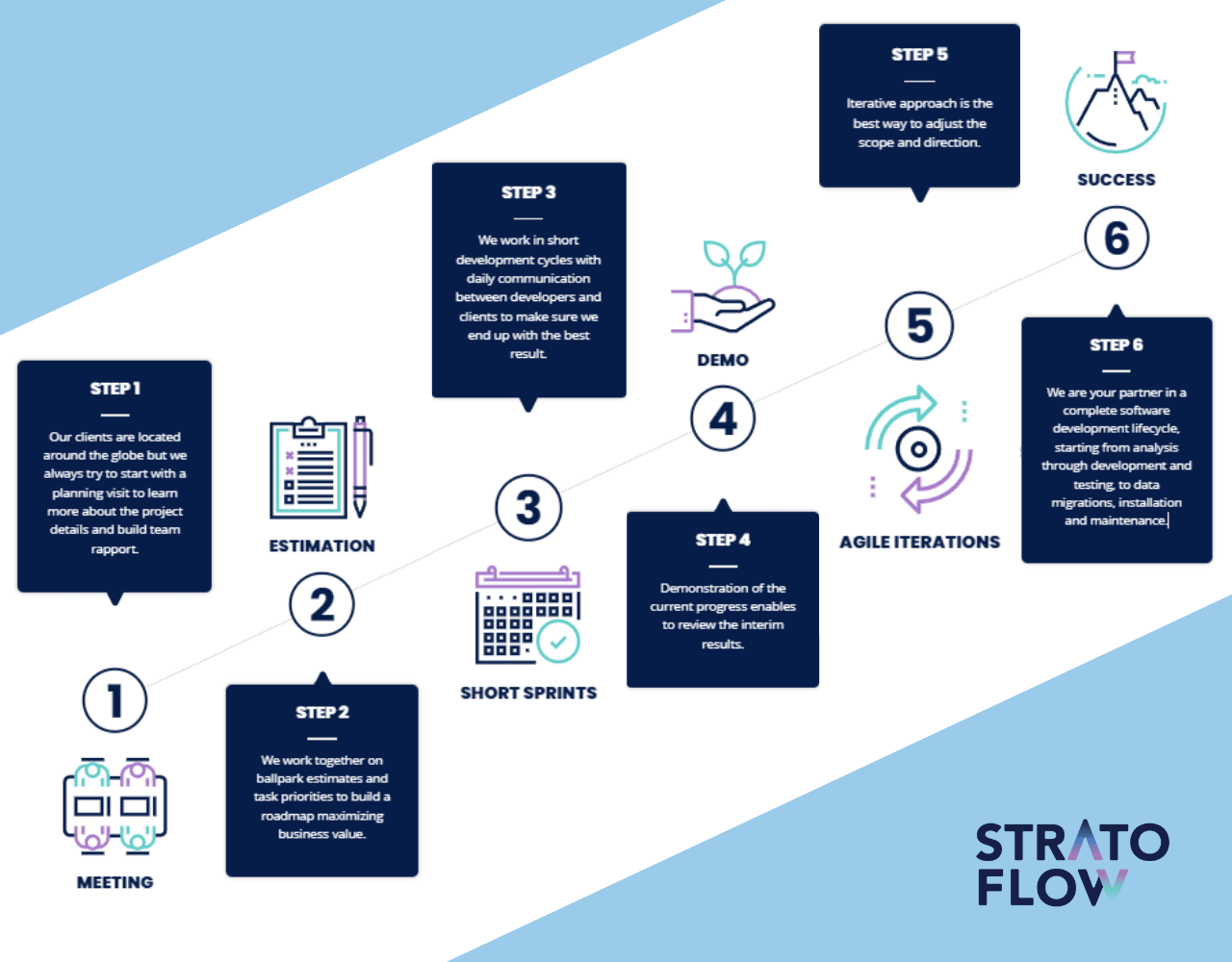
Credit: stratoflow.com
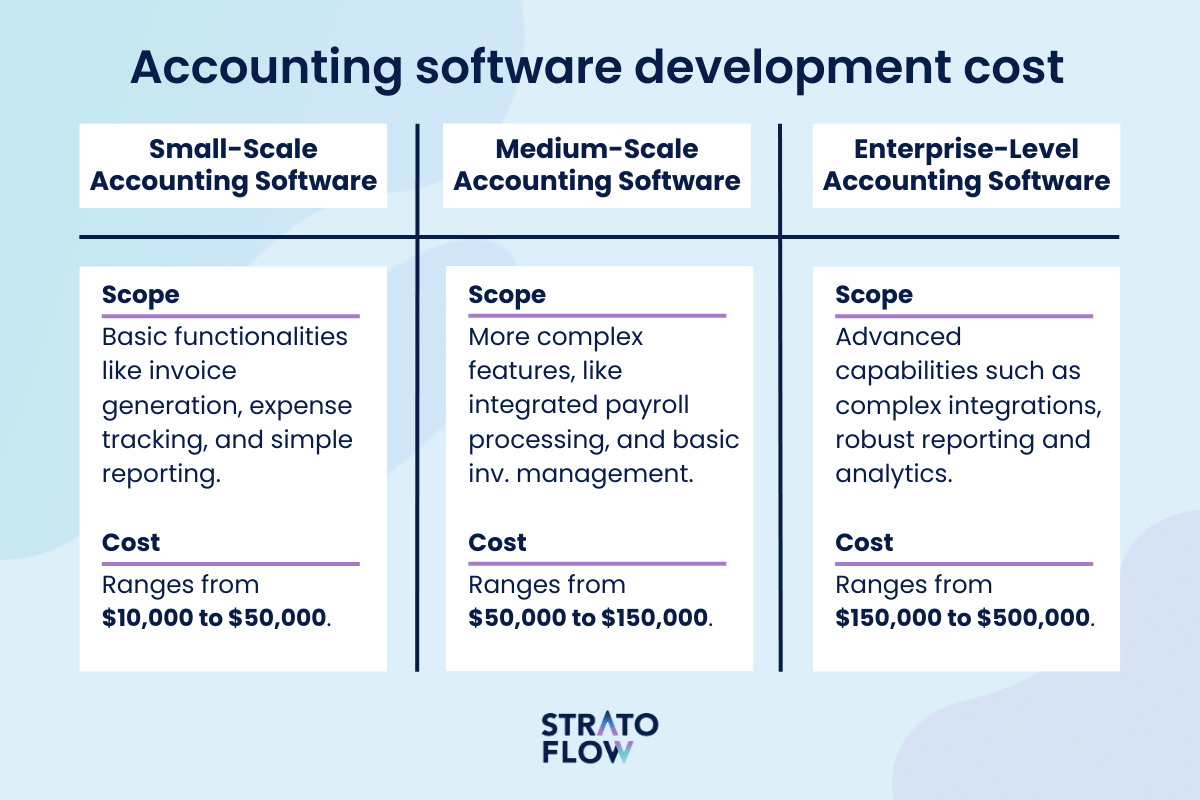
Credit: stratoflow.com
Frequently Asked Questions
What Are The Key Features Of Java Accounting Software?
Java accounting software typically includes invoicing, expense tracking, financial reporting, and tax calculation. These features help automate accounting tasks, improve accuracy, and streamline financial management for businesses of all sizes.
How Do I Start Coding Accounting Software In Java?
Begin by defining core modules like ledger, invoices, and reports. Use Java frameworks such as Spring for backend and JavaFX for UI. Plan your database design carefully to manage transactions and financial data efficiently.
What Libraries Help Build Java Accounting Software?
Popular libraries include Apache POI for Excel reports, iText for PDF generation, and Hibernate for database management. These tools simplify development by handling common accounting software tasks like data export and persistence.
How Can I Ensure Security In Java Accounting Software?
Implement secure coding practices like input validation and encryption. Use HTTPS for data transmission and role-based access control to protect sensitive financial information from unauthorized access.
Conclusion
Creating accounting software in Java takes patience and clear steps. Start by planning the features you need. Write simple code and test it often. Keep the user interface easy to use. Fix bugs quickly to improve the program. Practice regularly to build your skills.
This project helps you learn Java and software design. Small progress each day leads to a working program. Stay focused and enjoy the process. Your effort will pay off with useful software you built yourself.
