
Are you worried about unauthorized access to your accounts? Knowing how to use account lockout and management tools can be your best defense.
These tools help protect your information by blocking repeated login attempts and keeping your accounts secure. You’ll discover simple, effective ways to set up and manage these features. By the end, you’ll feel confident in safeguarding your digital life and stopping hackers before they get in.
Keep reading to learn how to take control of your account security today.
Account Lockout Basics
Account lockout is a security feature that protects user accounts from unauthorized access. It temporarily blocks access after several failed login attempts. This helps prevent hackers from guessing passwords. Understanding how account lockout works is important for managing security and user access effectively.
What Triggers Lockouts
Lockouts happen when someone enters the wrong password too many times. Systems count these failed attempts and lock the account. This stops further login tries. Lockouts can also occur if there are unusual login patterns or suspicious activity. These triggers help keep accounts safe from attacks.
Common Lockout Policies
Most organizations set rules for account lockouts to balance security and usability. Common policies lock accounts after 3 to 5 failed attempts. The lockout duration can last from a few minutes to hours. Some systems require an administrator to unlock the account manually. These policies reduce risk while minimizing user frustration.

Credit: webware2.wordpress.com
Choosing Lockout Tools
Choosing the right account lockout and management tool is important for security. The right tool helps protect accounts from unauthorized access. It also simplifies managing locked accounts. Different tools offer various features and ease of use. Consider your system and security needs before deciding. Options include built-in operating system tools and third-party solutions.
Built-in Os Options
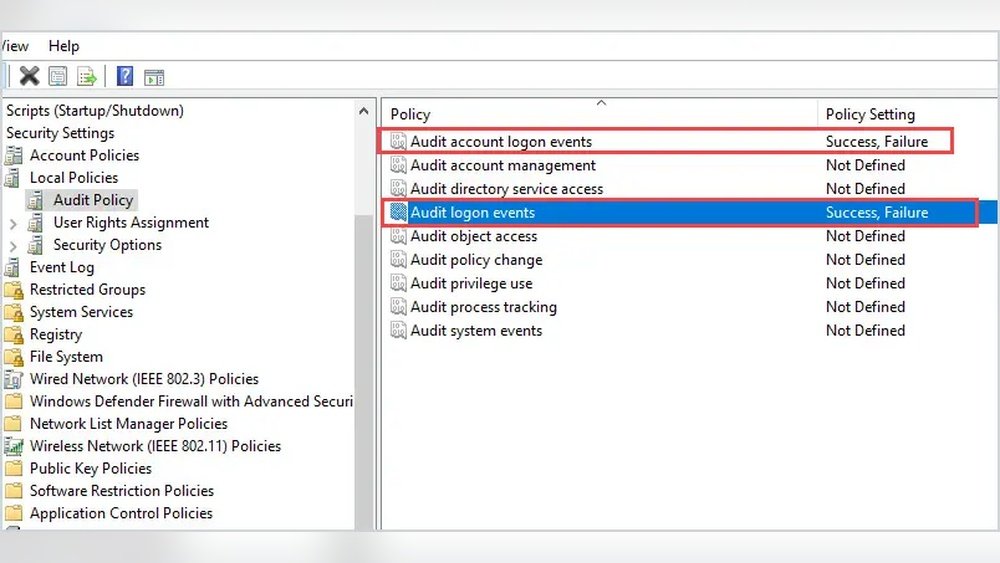
Most operating systems offer built-in lockout tools. These tools are usually free and integrated. They allow setting lockout thresholds and durations. For example, Windows uses Group Policy for account lockout settings. Linux systems use PAM modules for similar controls. Built-in options provide basic security and easy management. They work well for small to medium environments.
Third-party Solutions
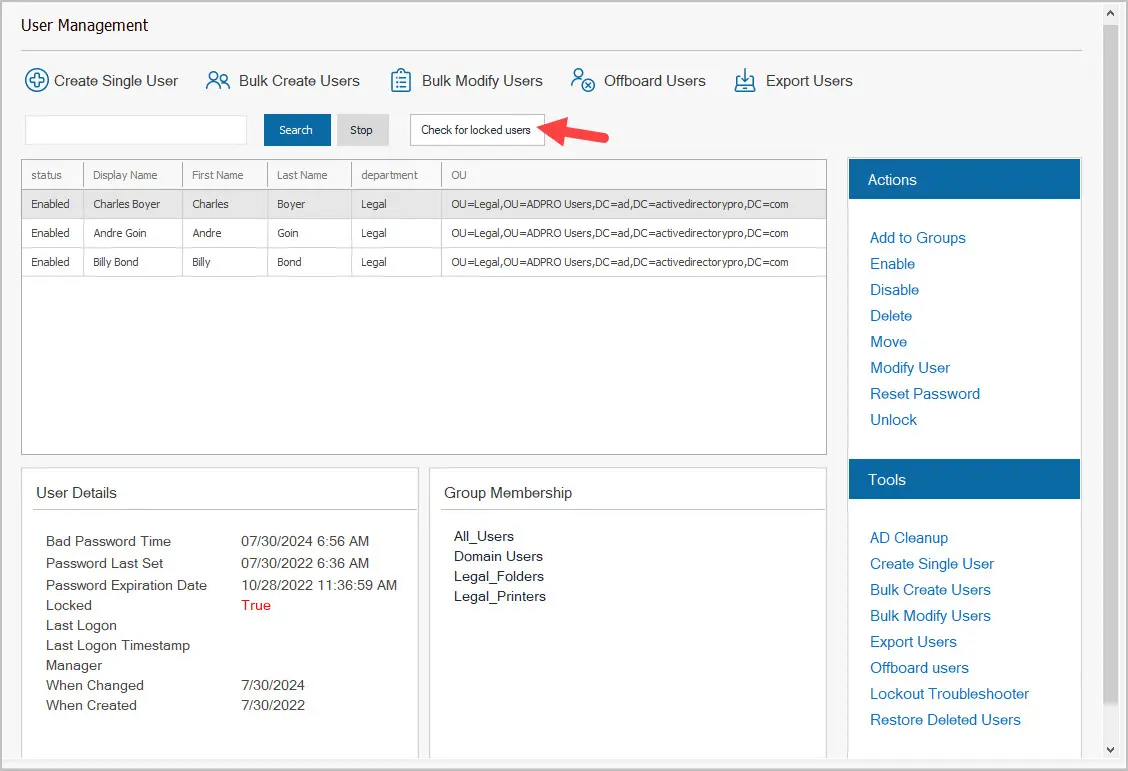
Third-party tools offer advanced features beyond built-in options. They provide detailed reports and alerts on lockout events. Some support multiple platforms and central management. These tools help automate account recovery processes. They often include user-friendly dashboards for admins. Third-party solutions suit larger organizations with complex needs. They improve security with more control and visibility.
Setting Lockout Thresholds
Setting lockout thresholds is a key step in protecting user accounts. It controls how many wrong login attempts trigger a lockout. This helps stop hackers from guessing passwords. At the same time, it keeps real users from being locked out too often. Finding the right balance is important for security and user experience.
Balancing Security And Usability
Set the number of failed attempts carefully. Too low may block users by mistake. Too high lets attackers try many passwords. Aim for a number that stops attacks but feels fair to users. Often, three to five attempts work well. Monitor how users react and adjust if needed.
Adjusting Time Durations
Decide how long to lock accounts after too many tries. Short lockouts reduce user frustration. Long lockouts increase security by blocking attackers longer. Start with a few minutes, like 15 or 30. Change the time based on your system’s needs. Use longer times for sensitive accounts.
Managing Locked Accounts
Managing locked accounts is essential for keeping your system secure. Accounts may get locked after repeated failed login attempts. Handling these locked accounts quickly helps users regain access and protects your network from threats.
Clear procedures and tools make managing locked accounts easier. They reduce downtime and improve user satisfaction. Understanding how to handle locked accounts is key for IT teams and administrators.
Unlock Procedures
Unlock procedures vary depending on the system used. Most systems require an admin or user to verify identity first. Verification can include answering security questions or confirming via email.
After verification, the account status changes to active. Some systems reset the failed login count automatically. Others may require a password reset before unlocking.
Following proper steps ensures accounts are unlocked securely. It prevents unauthorized access while restoring user access swiftly.
Automated Vs Manual Unlocking
Automated unlocking happens without human intervention. The system unlocks accounts after a set time period. This reduces workload for support teams.
Manual unlocking requires an admin to review and unlock the account. It offers better control and can verify the user’s identity.
Automated unlocking is faster but less secure than manual methods. Manual unlocking is safer but may delay user access.
Choosing the right method depends on security needs and user convenience. Many organizations use a mix of both for balance.
Monitoring And Alerts
Monitoring and alerts are key parts of using account lockout and management tools. They help you spot issues fast. This way, you can protect accounts and keep your system safe. Monitoring tracks lockout events, showing patterns and problems. Alerts notify you right away, so you act quickly.
Tracking Lockout Events
Tracking lockout events means watching for failed login attempts. This helps find users locked out by mistake or attackers trying to break in. You can check logs to see when and why accounts lock. This data helps fix problems and improve security settings.
Configuring Notifications
Configuring notifications sets up alerts for lockout events. You choose who gets notified and how often. Alerts can come by email or text. Quick alerts let admins respond fast to threats or errors. This reduces downtime and keeps users happy.
Integrating With Security Systems
Integrating account lockout and management tools with security systems strengthens your defense. It helps track suspicious activities and respond quickly to threats. By connecting these tools, you get a clear picture of user behavior and potential risks.
This integration improves security monitoring and reduces false alarms. It also makes managing locked accounts easier and faster. Businesses can protect sensitive data better and ensure compliance with security policies.
Linking To Siem Tools
Security Information and Event Management (SIEM) tools collect data from various sources. Linking account lockout tools to SIEM helps centralize security alerts. It allows quick detection of repeated login failures or unusual activities.
SIEM tools analyze patterns and provide real-time alerts. These alerts help security teams act before damage occurs. This link boosts overall threat detection and incident response.
Using Multi-factor Authentication
Multi-factor authentication (MFA) adds extra protection beyond passwords. Integrating MFA with account lockout tools stops unauthorized access attempts. It requires users to verify identity using a second factor.
MFA reduces the risk of hacking through stolen credentials. It enhances user verification and lowers the chance of account breaches. This integration makes your security system stronger and more reliable.
Common Challenges
Account lockout and management tools help protect user accounts from unauthorized access. They block access after multiple failed login attempts. Despite their benefits, these tools bring common challenges. Understanding these issues is key to using the tools effectively.
Avoiding Denial Of Service
Lockout tools can cause denial of service. Attackers may try to lock many accounts. This prevents real users from accessing their accounts. It can disrupt business operations and frustrate users.
To avoid this, set lockout thresholds carefully. Use temporary lockouts instead of permanent ones. Monitor for patterns of mass lockouts. Use additional security layers, like CAPTCHA or multi-factor authentication.
Handling False Positives
False positives happen when legitimate users get locked out. Typing errors or forgotten passwords cause this. It creates frustration and extra work for support teams.
Reduce false positives by adjusting sensitivity. Provide clear instructions for unlocking accounts. Offer self-service options for password resets. Keep track of lockout causes to improve settings.

Credit: www.youtube.com
Best Practices
Using account lockout and management tools properly protects your system from unauthorized access. Following best practices helps keep your security strong and your users informed. These practices reduce errors and improve overall safety.
Regular Policy Reviews
Check your lockout policies often. Security threats change over time. Updating policies stops new attacks. Review settings every few months. Make sure lockout times and limits fit your needs. Remove outdated rules to keep systems clean.
User Education
Teach users about lockout rules. Explain why account lockouts happen. Show them how to avoid mistakes. Simple steps can reduce lockouts. Provide clear instructions for unlocking accounts. Well-informed users cause fewer problems.
Credit: activedirectorypro.com
Frequently Asked Questions
What Is Account Lockout In Security Management?
Account lockout temporarily disables user access after failed login attempts. It protects against brute force attacks and unauthorized access. This tool enhances security by blocking suspicious login behavior.
How Do Account Lockout Tools Improve Security?
They prevent repeated login failures, stopping hackers from guessing passwords. Lockout tools alert admins to potential breaches. This minimizes security risks and protects sensitive data effectively.
Can Account Lockout Policies Be Customized?
Yes, administrators can set thresholds for failed attempts and lockout durations. Custom policies balance security with user convenience. This flexibility ensures tailored protection for different organizational needs.
What Are Common Challenges In Managing Account Lockouts?
Frequent lockouts may frustrate users and increase helpdesk tickets. Misconfigured policies can cause unnecessary lockouts. Effective management requires monitoring and adjusting settings regularly to minimize disruptions.
Conclusion
Account lockout and management tools help protect your accounts from attacks. They stop unauthorized access and keep your data safe. Use these tools to control who can log in and when. Regular checks and updates make your security stronger. Simple steps like these reduce risks and give peace of mind.
Remember, keeping your accounts secure is a small effort with big benefits. Stay alert, use the right tools, and protect your information well.
