
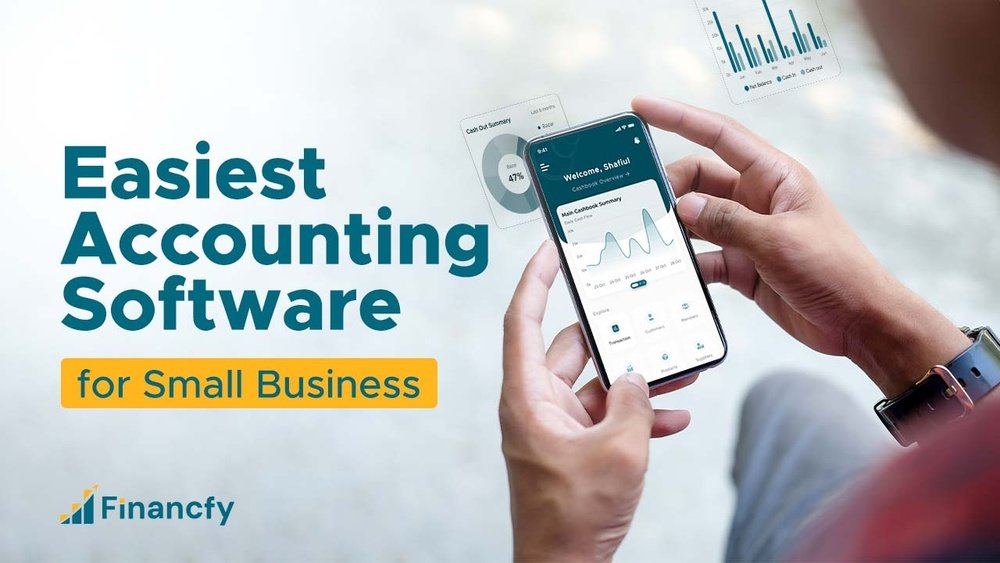
Are you tired of juggling piles of receipts and complicated spreadsheets? Imagine having accounting software made just for your small business—simple, efficient, and tailored to your needs.
Creating your own accounting software might sound tricky, but it’s easier than you think. You’ll discover clear, step-by-step guidance to build a tool that saves you time and keeps your finances in perfect order. Ready to take control of your business accounting?
Let’s dive in and make it happen together.
Planning Your Software
Planning your accounting software is the first step to success. It helps you create a clear path for development. Without a plan, the project can become confusing and costly.
Good planning saves time and money. It ensures your software fits the needs of small businesses. It also helps set realistic goals and deadlines.
Identifying Small Business Needs
Start by understanding what small businesses require from accounting software. Most need simple tools for invoicing, expense tracking, and financial reports. Think about the users. They want easy-to-use software with basic features.
Consider common challenges like managing cash flow or tax preparation. Knowing these needs guides your software design. Ask small business owners for feedback to get real insights.
Choosing Core Features
Select features that meet the most important needs first. Typical core features include invoicing, expense tracking, and bank reconciliation. Payroll and tax calculations can be added later. Avoid adding too many features at once.
Focus on making core functions reliable and simple. A clean, user-friendly interface improves user experience. Keep the design straightforward to reduce learning time.
Setting Budget And Timeline
Decide how much money you can spend on development. Budgeting helps control costs and avoid surprises. Include expenses for design, coding, testing, and marketing.
Set a timeline with clear milestones. Break the project into small phases. This makes progress easier to track and manage. Allow time for testing and fixing bugs before launch.
Designing The User Interface
Designing the user interface (UI) is a key step in making accounting software for small businesses. The UI must be clear and easy to use. It helps users find features quickly and complete tasks without confusion. A well-designed interface keeps users happy and reduces mistakes.
Focus on simplicity and clarity. Small business owners often have limited time and accounting knowledge. The interface should guide them naturally. Use clean layouts and clear labels. Avoid clutter and complex menus.
Creating Simple Navigation
Navigation should be straightforward. Use a clear menu structure with few levels. Important features like invoicing, expenses, and reports must be easy to find. Use icons and text labels that everyone understands. Keep the path to key functions short.
Use consistent design for buttons and links. Highlight active sections so users know where they are. Avoid deep menus that confuse users. Simple navigation saves time and frustration.
Ensuring Mobile Compatibility
Many small business owners use phones or tablets. The software must work well on these devices. Design a responsive interface that adjusts to different screen sizes. Buttons and text must be large enough to tap easily.
Test on various devices to ensure smooth performance. Avoid features that require a mouse or keyboard only. Mobile compatibility means users can manage accounts anywhere, anytime.
Focusing On User Experience
User experience (UX) is about making the software pleasant and efficient. Use clear fonts and colors that reduce eye strain. Provide helpful tips or tooltips for tricky parts. Allow users to undo actions easily.
Speed matters. The interface should load quickly and respond fast. Minimize steps to complete tasks. Listen to user feedback and improve the design regularly. Good UX helps users trust and enjoy the software.
Selecting The Technology Stack
Choosing the right technology stack is key to building effective accounting software for small businesses. The stack determines how your software looks, works, and handles data. It affects speed, security, and user experience. Pick tools that match your project size, team skills, and budget.
Frontend Options
The frontend shapes what users see and interact with. Popular choices include React, Angular, and Vue.js. React offers flexibility and a large community. Angular provides a full-featured framework with strong support. Vue.js is simple and easy to learn. Consider which fits your team’s skill level and the user experience you want.
Backend Frameworks
The backend manages data, logic, and server tasks. Node.js, Django, and Ruby on Rails are common choices. Node.js works well for real-time features and uses JavaScript. Django is secure and fast, built with Python. Ruby on Rails speeds up development with convention over configuration. Choose a backend that balances performance and ease of use.
Database Choices
Databases store all financial records and user data. SQL databases like PostgreSQL and MySQL are reliable and support complex queries. NoSQL options such as MongoDB offer flexibility with unstructured data. Pick a database that ensures data integrity and scales with your business needs.

Credit: zetran.com
Developing Key Modules
Developing key modules is essential for building effective accounting software for small businesses. These modules handle core financial tasks. They help keep business finances organized and clear. Each module must be simple and user-friendly to meet small business needs.
Invoice And Billing System
The invoice and billing system creates and sends bills to customers. It tracks payments and due dates. This module should allow easy customization of invoices. It helps small businesses manage cash flow smoothly and avoid missed payments.
Expense Tracking
Expense tracking records all business costs. It categorizes expenses for better budget control. This module gives a clear view of where money goes. Small businesses can spot overspending and save money effectively.
Financial Reporting
Financial reporting generates summaries of income, expenses, and profits. It provides charts and reports that are easy to understand. This module helps business owners see how their business performs. Reports support better decisions and future planning.
Tax Calculation
Tax calculation automatically computes taxes based on local laws. It reduces errors and saves time during tax season. This module should update tax rules regularly. Small businesses stay compliant and avoid penalties with accurate tax data.
Implementing Security Measures
Security is key when building accounting software for small businesses. Protecting financial data builds trust and keeps your users safe. Implementing strong security measures reduces risks of data breaches and fraud. Focus on core areas like encryption, user authentication, and data backups.
Data Encryption
Encrypt data to keep it safe from hackers. Use strong encryption methods for all sensitive information. This stops unauthorized access to financial records. Encrypt data both in storage and during transmission. Encryption makes the data unreadable without the right key.
User Authentication
Require users to verify their identity before accessing the system. Use passwords combined with additional checks like OTP or biometrics. This limits access to only authorized users. Regularly update authentication methods to stay ahead of threats. Simple steps can prevent unauthorized login attempts.
Regular Backups
Back up data frequently to avoid loss from errors or attacks. Store backups securely and test them often. This ensures quick recovery if data is lost or corrupted. Automate backups to keep the process consistent and reliable. Data backups protect your users and your software’s reputation.

Credit: akaunting.com
Testing And Debugging
Testing and debugging are key steps in creating accounting software for small businesses. These steps ensure the software works correctly and meets user needs. They help catch errors early and improve software quality.
Good testing makes software reliable and easy to use. It saves time by fixing problems before release. Debugging removes bugs that cause crashes or incorrect data.
Unit And Integration Testing
Unit testing checks small parts of the software separately. It tests functions like calculations and data entry. This helps find mistakes in code early.
Integration testing checks how different parts work together. It ensures data flows correctly between modules. This testing finds problems in communication between components.
User Acceptance Testing
User acceptance testing (UAT) involves real users testing the software. They check if the software meets their needs. Feedback from UAT helps improve usability and features.
This step ensures the software works in real business scenarios. It helps identify missing features or confusing parts. UAT builds confidence before launch.
Performance Optimization
Performance optimization makes the software fast and smooth. It reduces load times and speeds up calculations. This is important for busy small businesses.
Optimizing code and database queries improves response times. Good performance keeps users happy and productive. It also reduces server costs.
Deployment And Maintenance
Deployment and maintenance are key steps after developing accounting software for small businesses. Proper deployment ensures the software runs smoothly. Maintenance keeps it secure and up to date. Neglecting these steps can cause problems for users.
Focus on reliable hosting, regular updates, and good customer support. These elements help the software serve users well and grow over time.
Choosing Hosting Solutions
Select a hosting service that fits your software needs. Cloud hosting offers flexibility and easy scaling. It handles traffic spikes without slowing down the software. Shared hosting may be cheaper but can limit performance. Consider security features and data backup options. A strong hosting choice improves software speed and reliability.
Setting Up Updates
Update the software regularly to fix bugs and add features. Automate updates to reduce manual work and avoid errors. Notify users about new versions and changes clearly. Test updates thoroughly before release to prevent issues. Keeping software fresh improves user trust and security.
Providing Customer Support
Offer clear and quick support for users facing problems. Use multiple channels like email, chat, or phone. Prepare a FAQ or knowledge base for common questions. Training support staff ensures helpful and friendly service. Good support boosts user satisfaction and loyalty.

Credit: www.invensis.net
Tips For Enhancing Software
Improving accounting software for small businesses helps users work faster. It also makes the software more useful and reliable. Simple changes can bring big benefits. Focus on key areas that add value and ease to daily tasks.
Integrating Third-party Tools
Linking your software with other popular tools saves time. It lets users manage everything in one place. For example, connect with payment systems or inventory apps. This reduces errors and data entry work. Choose tools that many small businesses already use.
Adding Automation Features
Automation cuts down on manual tasks. Features like automatic invoicing or expense tracking help a lot. Set up reminders for payments or tax deadlines. These small helpers keep the business organized. Make sure the automation is easy to turn on or off.
Gathering User Feedback
Ask users what they like and what needs fixing. Feedback guides your updates and improves the software. Use surveys, emails, or simple forms inside the app. Listen carefully to users’ problems and requests. This builds trust and makes the software user-friendly.
Frequently Asked Questions
What Features Are Essential In Small Business Accounting Software?
Essential features include invoicing, expense tracking, bank reconciliation, and financial reporting. These help manage cash flow and simplify tax preparation efficiently.
How To Choose The Right Technology For Accounting Software?
Select technologies offering scalability, security, and user-friendly interfaces. Consider cloud-based solutions for easy access and automatic updates.
Can I Customize Accounting Software For My Small Business?
Yes, customization allows adding specific features like inventory management or payroll. Tailoring software improves workflow and meets unique business needs.
How Long Does It Take To Develop Accounting Software?
Development time varies but typically takes 3 to 6 months. It depends on features, complexity, and team expertise.
Conclusion
Creating accounting software for small businesses is a clear, step-by-step process. Focus on simplicity and key features that users need daily. Test the software often to fix bugs and improve usability. Keep the design clean and easy to navigate. This helps users save time and manage money better.
Good software supports business growth and reduces errors. Building your own tool gives control and custom options. Stay patient and keep learning as you develop. Your effort will lead to a useful product that helps many small businesses succeed.
